
Blog
How To Order From Meesaa Website?

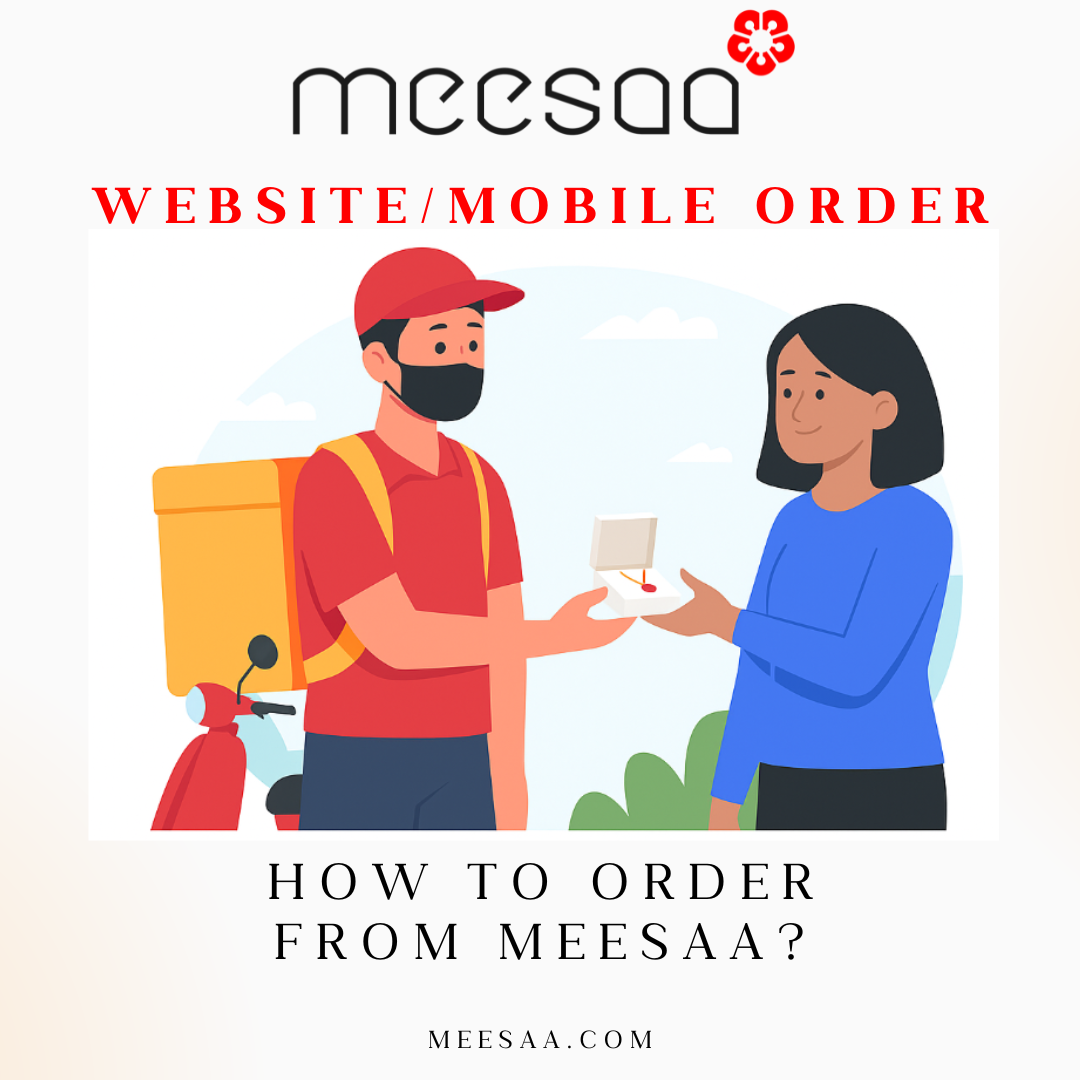
Many people often get confused while shopping online. They get confused about where to click, where to enter details, how the product will arrive and more. Here at Meesaa we’ve tried to simplify your shopping experience and get your favorite product delivered at your doorstep.
Follow the following step from mobile or laptop while ordering from Meesaa:
1. Choose the product you want
Where you are on the home page: meesaa.com, click on shop as shown in the picture below:
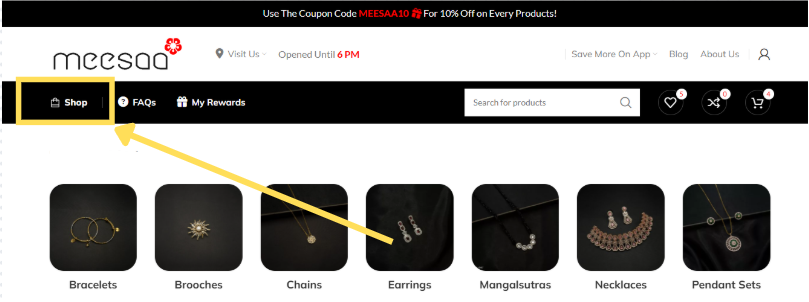
After clicking on the shop, select the product category you want like chains, bangles, pendent sets and more as shown below:
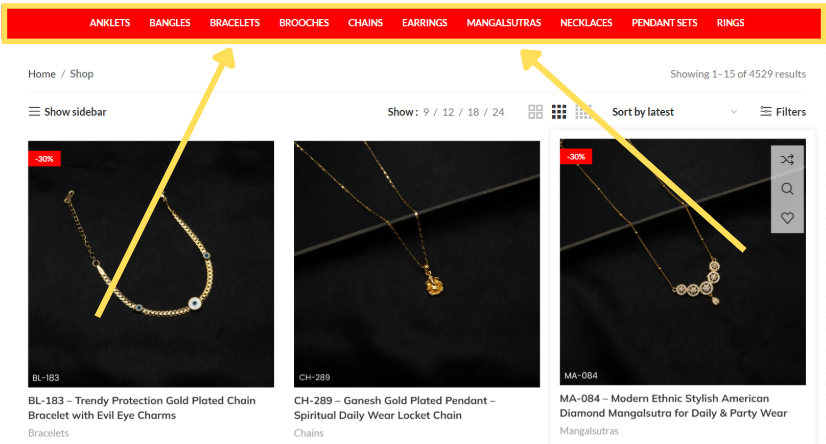
After you finally find the best product for yourself click on the product.
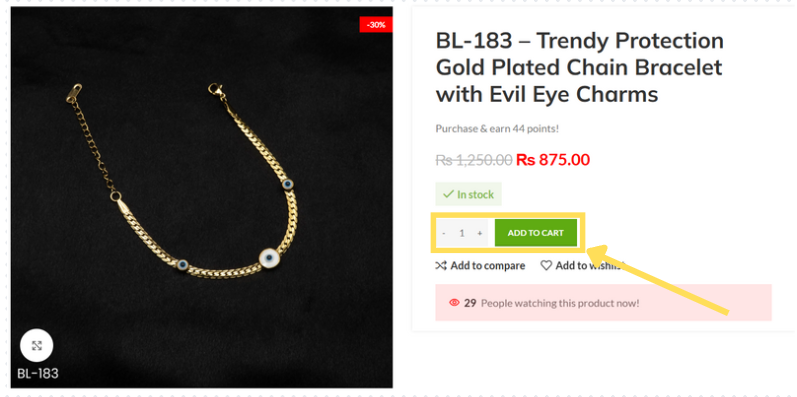
Select the quantity you want and click on add to cart as shown above.
2. Checkout
When you click on add to cart following screen will appear as shown below:
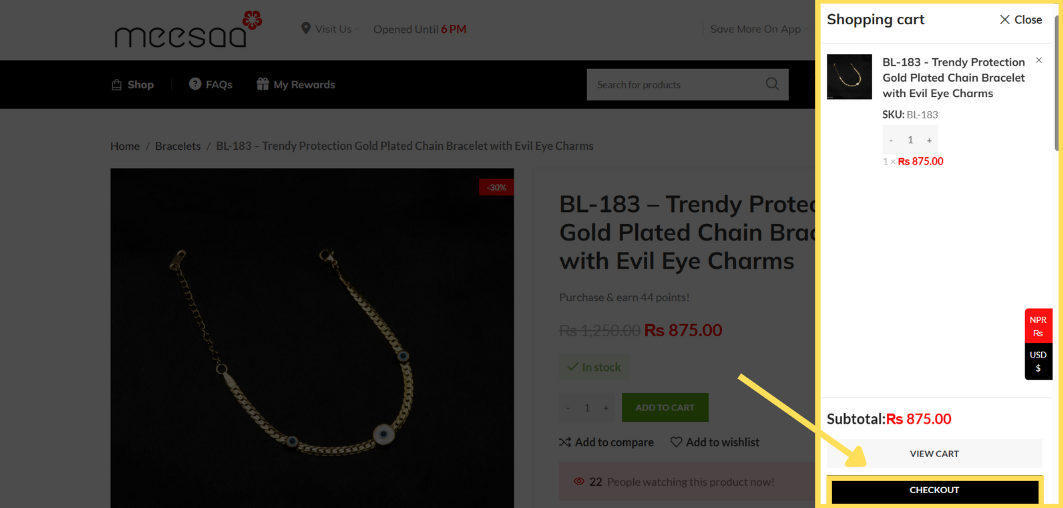
You can you your order here and the order total. If everything is fine click on checkout as shown by arrow above
After you click on checkout you can login to your previous account or create a new account (or login through google) as shown below:
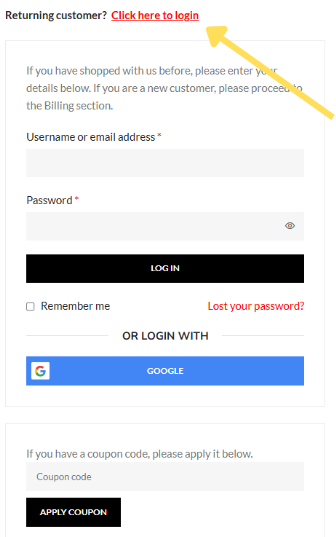
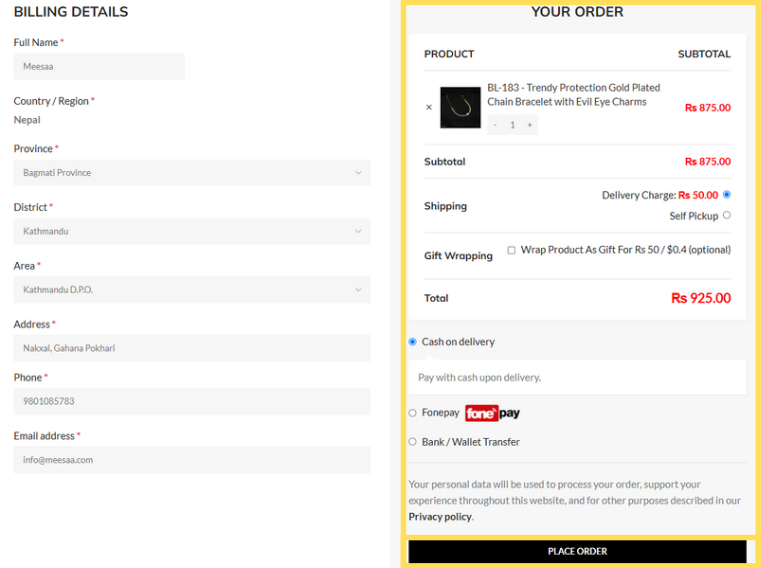
Fill up your details as shown below and choose the payment option like Cash on Delivery (COD) or fonepay or wallet transfer and click on place order as shown below:
3. That’s it
When you click place order your order will be placed and you will receive an email instantly. The delivery team will call you within 1-2 days and you will get your favorite affordable premium jewellery delivered.
Important Notes
- Reward System: For every 500 spent on our website you will receive 25 points and when you points reach 500 you will get Rs 500 discount. So keep shopping with us!!
- Coupon Codes: To make your shopping more exciting you can use coupons codes to get 10% discounts on website by using MEESAA10 or NEXTPURCHASE or 10OFF and you can get heavy 20% discount while ordering from mobile by using MEESAA20BETA.
- Wrap as gift: You can also wrap the product as gift during checkout as shown above for your loved ones and give them a surprise.
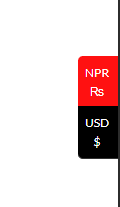
4. International Payment: If you want to gift or buy jewellery for someone in Nepal but you wish to pay from International payment method like PayPal then just switch the currency as shown beside to dollar ($) and continue with payment
Meesaa – “Feel Special”
Download our App On Play Store as well as On App Store and Get More Discounts On App!!